
ReadEra Premium – ebook reader
READERA LLCBooks & Reference
4.82.93K Reviews
- Version
- 26.05.20+2300
- Installs
- 100.00K
- Age Rating
- Everyone
Screenshots
Our Review of ReadEra Premium – ebook reader
 Analysis by Appyee
I tend to judge an ebook reader by what happens between reading sessions as much as by the page itself: can I find the right file, pick up where I stopped, and keep my library usable without turning every book into a project? That practical rhythm is where ReadEra Premium – ebook reader makes sense. It is a Books & Reference app from READERA LLC, aimed at reading files already on your device rather than making the reading experience depend on a single book shop.
That makes it a natural fit if your books arrive from different places: a novel from one source, a course handout from another, and a reference document you need to consult now and then. The app’s appeal is less about replacing every reading service and more about giving those files one place to live. Its average rating is 4.9 from around 62,000 ratings, and it has over 100,000 installs; that popularity is useful context, though your own reading habits matter more than the numbers.
A simple routine for a mixed library
My most sensible way to use it is to treat the library as a working shelf, not just a pile of downloads. I open a book, adjust the display until it feels comfortable, and use collections to separate things I am actively reading from material I may need later. That small distinction saves time when a phone contains both a novel and documents for work or study.
For example, on a commute I might read an EPUB novel, then later open a PDF guide to check one section. Keeping the files organized means I do not have to remember which folder each one came from. The app’s file-management tools also make basic housekeeping part of the same routine: when I no longer need a downloaded file, I can remove or move it instead of letting old material clutter the library.
Settings that are worth checking early
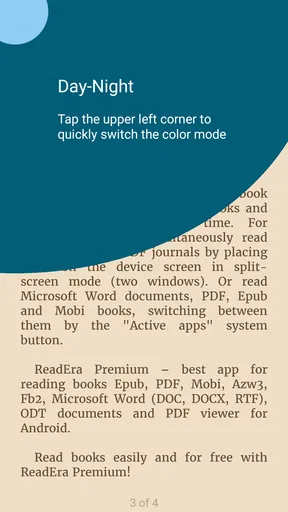
I would spend a few minutes adjusting text size, margins, and page background before settling into a long book. A comfortable font setting can matter more than a dramatic theme, especially when reading for half an hour at a time. Night mode is useful in dim surroundings, but I would still tune the brightness on the device itself; a dark page does not automatically make a screen comfortable in every room.
There is a practical trade-off with flexible display controls: a layout that feels good for a novel may not be ideal for a PDF. Reflowable books can usually make better use of font and spacing adjustments, while a fixed-page document is best judged by whether the page remains easy to inspect. I would not spend time trying to make every format behave identically. Set up the view for the kind of material in front of you.
Small habits that make reading smoother
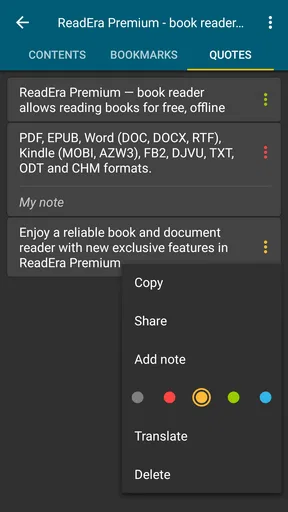
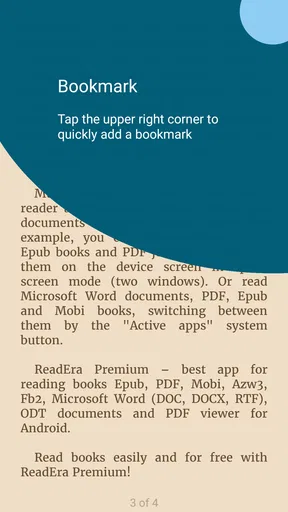
Bookmarks, highlights, and notes are most useful when I give each a clear job. A bookmark can mark where I stopped; a highlight can capture a passage worth revisiting; a note can explain why I saved it. If I use all three for the same purpose, they quickly become noise. Students can use that distinction to keep a reading session active without turning every page into an annotation exercise.
When I need to discuss a book or gather passages for later, exporting notes and highlights can make those thoughts easier to use outside the reading session. I would still keep important study material in a separate, dependable place if it needs to be shared or submitted. A reader’s annotations are convenient companions to a book, but they should not automatically become the only copy of work that matters.
Where its strengths have limits
ReadEra Premium is most appealing when I want to read personal files in several formats and manage them locally. It is less compelling if my priority is a tightly connected commercial bookstore, a social reading network, or a reading setup built around a single subscription service. Those alternatives can be more convenient when buying, borrowing, syncing, or discovering books inside one ecosystem is the main activity.
There is also a difference between having file tools and having a perfect library. Automatic sorting and custom collections help, but they still work best when I use consistent filenames and occasionally tidy folders. A large archive of duplicates or vaguely named downloads can remain confusing in any reader. I would start by organizing the files I actually read, rather than trying to catalogue an entire device in one sitting.
The app costs $14.99, so I would think about how often I read files on my phone before choosing it. If I only open an occasional document, a free reader or the basic tools already on my device may be enough. If I regularly switch between novels, PDFs, and other reading material, paying for a dedicated app can feel more worthwhile because the library and reading controls become part of a repeated routine. It is rated for Everyone, and its current version is 26.04.27+2280, with Android 4.1 as the minimum operating system.
The Reading Experience
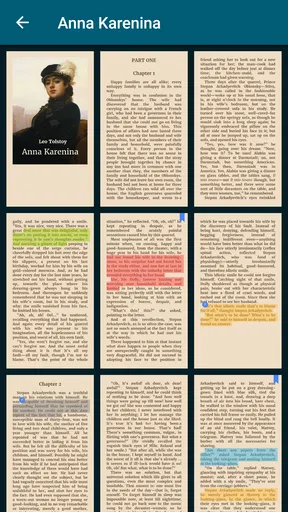
First things first, the reading experience on ReadEra Premium is nothing short of delightful. From the moment you open the app, you’re greeted with a clean, user-friendly interface that makes you feel like you’re flipping through real pages. The customization options are a game changer. You can tweak font sizes, adjust margins, and even change the background color to suit your reading preferences. If you’re reading at night, the night mode will be your eyes’ best friend.
What I absolutely love about this app is the sheer variety of formats it supports. Whether it's PDFs, EPUBs, or even DOC files, ReadEra Premium has got you covered. No more converting files or searching for specific formats. It’s like having a universal remote for all your digital books. And the best part? It doesn’t bog down your device with unnecessary ads or features you’ll never use.
Library Organization
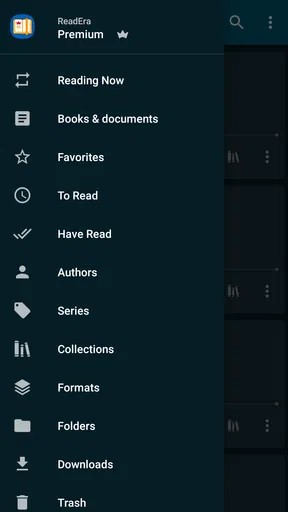
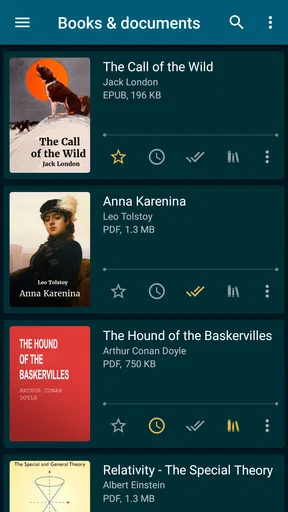
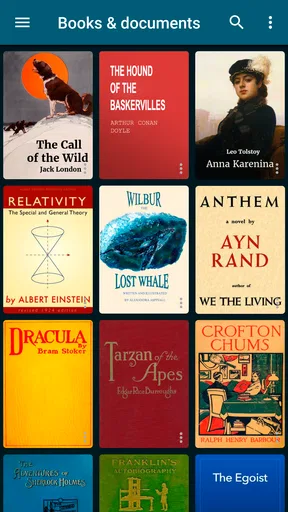
Now, let’s dive into the library organization because, let’s be honest, no one likes a messy bookshelf. The app automatically sorts your books into categories like fiction, non-fiction, and even by author, which is a nice touch if you’re someone who likes their library neat and tidy. You can also create custom collections, so if you’re in the mood for a mystery marathon, you can have all your Agatha Christie novels in one place.
One feature that really stands out is the built-in file manager. It allows easy navigation and management of your books. You can rename files, delete them, or move them to different folders without breaking a sweat. It’s like having a personal librarian in your pocket.
Offline Access
I can’t stress enough how crucial offline access is for an ebook reader, and ReadEra Premium nails it. You can download your books and read them anywhere, anytime – no Wi-Fi required. So whether you’re on a plane, in a subway, or just chilling at a remote cabin with no signal, your reading plans won’t get interrupted.
Plus, with the app’s efficient memory usage, you don’t have to worry about it hogging up your storage. It’s optimized to ensure your device runs smoothly, even with a hefty library.
Personal Touches
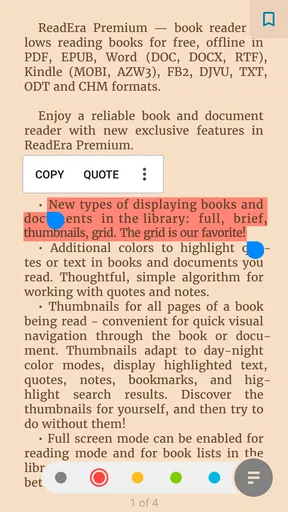
What truly makes ReadEra Premium stand out is the personal touches it offers. The ability to bookmark pages, highlight text, and even write notes is a godsend for students and book lovers alike. I’ve found myself using the notes feature to jot down thoughts or memorable quotes that I stumble upon during my reading sessions. It’s like having a digital diary embedded within your books.
And for those who love to share their reading journey, you can easily export your notes and highlights. It’s perfect for when you want to discuss a book with friends or just reminisce about that profound paragraph that hit you right in the feels.
Choosing it for the right kind of reading
The strongest case for this app is a reader with a mixed, file-based collection: someone who saves EPUB novels, keeps PDF manuals or course readings, and wants to open them without juggling separate apps. I would also recommend it to people who read in short bursts and need a dependable way to resume, or to students who want lightweight annotations alongside their source material. If your books mostly live in a retailer’s catalogue and you rarely handle local files, that retailer’s own reader may be the easier choice.
A realistic routine might be downloading a reading for a train ride before leaving home, using a bookmark when the stop arrives, then returning to a work document later that evening. Offline reading helps in the moment, while keeping leisure and reference material in separate collections helps when you come back. The useful habit is to decide where each file belongs when you first open it; that takes little effort and prevents a library from becoming a record of every download you have ever made.
Making annotations useful rather than messy
For serious reading, I find it helps to annotate selectively. In a textbook or long report, highlighting every sentence that seems important makes the genuinely important parts harder to spot. I would reserve highlights for passages I may want to find again, then use a short note when the reason is not obvious from the passage itself. That turns the export option into a useful review aid rather than a long, unfiltered transcript of a reading session.
There is a related workflow for fiction: keep bookmarks for progress and save highlights only when a line is worth returning to. That separation keeps the reading experience closer to reading, rather than making it feel like data entry. If you are sharing excerpts with a group, check the exported material before sending it so it contains the passages and context you intend to discuss.
What to expect from file handling
Supporting several formats reduces the need to hunt for a separate reader, but it does not mean every document will feel equally comfortable. A flowing ebook and a page-based PDF ask different things of a screen: one benefits from adjusting text presentation, while the other may require attention to the page as laid out. I would try a representative file from each category before moving a whole reading routine over. That quick test reveals whether the material you actually use is pleasant to read on your device.
File organization also depends on habits outside the reader. Clear filenames make author sorting and manual browsing more useful; duplicate downloads can still create uncertainty about which copy is current. Before a trip or a study session, I would open the exact document I plan to use and confirm it is available offline. That simple check is more reliable than assuming every file you have seen before is ready when you need it.
Who should pass, and what it does best
If you want a service that discovers books, handles purchases, and keeps your reading history inside one commercial ecosystem, a bookstore app may suit you better. If you mostly read a handful of documents, an existing basic reader may also be sufficient. ReadEra Premium makes more sense when managing a varied personal collection is part of the problem you want solved, not merely opening a book once in a while.
Its advantage over a single-format reader is the convenience of bringing different reading files together; its trade-off against a store-centered alternative is that your own organization matters more. I would not choose it expecting a curated catalogue to do the work for me. I would choose it to make files I already have easier to read, revisit, and sort.
Conclusion
All in all, ReadEra Premium – ebook reader is a must-have app for anyone who loves to read on their mobile devices. It brings convenience, efficiency, and a touch of personalization that enhances the overall reading experience. Whether you're a student, a professional, or just someone who loves getting lost in a good story, this app is tailored to meet your needs.
If you haven’t already, give it a go. It might just become your favorite reading companion, making sure you always have your books handy, organized, and ready for your next reading adventure.
My final advice is to judge it by a normal week, not by a quick tour of its settings: open the kinds of files you actually use, build a couple of collections, and see whether returning to a book feels easier. The purchase is easiest to justify when those small conveniences become part of a steady reading habit. For that kind of reader, it is a practical, flexible library; for someone who wants a shop or subscription first, another reading app may be the better match.
Verdict
Strengths of ReadEra Premium – ebook reader
- Ad-free reading experience.
- Supports various ebook formats.
- Customizable reading settings.
- Offline access to books.
- Fast and smooth performance.
Limitations of ReadEra Premium – ebook reader
- No cloud sync feature.
- Limited annotation tools.
- No audiobook support.
- Interface lacks modern design.
- Paid app without free trial.
Other Releases by READERA LLC
View All
ReadEra – book reader pdf epub
Books & Reference4.9
Similar Picks in This Category
View All
Google Play Books & Audiobooks
Google LLC4.7

네이버 - NAVER
NAVER Corp.3.5

Wattpad - Read & Write Stories
Wattpad.com3.7

King James Bible - Verse+Audio
Ozion4.8

Bible Offline-KJV Holy Bible
Bíblia Offline4.9

Amazon Kindle: Reading App
Amazon Mobile LLC4.8
Frequently Asked Questions
What formats does ReadEra Premium support?
ReadEra Premium supports a wide range of formats, including EPUB, PDF, MOBI, TXT, FB2, DJVU, and others. This ensures compatibility with most eBooks available today, making it a versatile choice for avid readers who enjoy accessing diverse content without worrying about file format issues.
Does ReadEra Premium require an internet connection?
No, ReadEra Premium does not require an internet connection to read books. Once you've downloaded your eBooks to your device, you can enjoy reading offline at any time, making it perfect for reading on the go without using mobile data or Wi-Fi.
Can I customize the reading experience in ReadEra Premium?
Yes, ReadEra Premium offers extensive customization options. Users can adjust font size, style, and background colors to suit their preferences. Additionally, features like night mode, page-turning animations, and text alignment allow for a personalized and comfortable reading experience.
Is there a way to organize my library in ReadEra Premium?
ReadEra Premium provides robust library management features. Users can organize books by genre, author, or series, and even create custom collections. The app also supports tags and allows you to mark books as read or unread, helping keep your library neat and accessible.
How does ReadEra Premium handle annotations and notes?
ReadEra Premium allows users to easily add annotations, highlights, and notes to their eBooks. These features are designed to help readers engage with the text and keep track of important information. All annotations are saved within the app, allowing for easy reference and review.
